 TurningTrade
What TurningTrade does with your Rithmic account
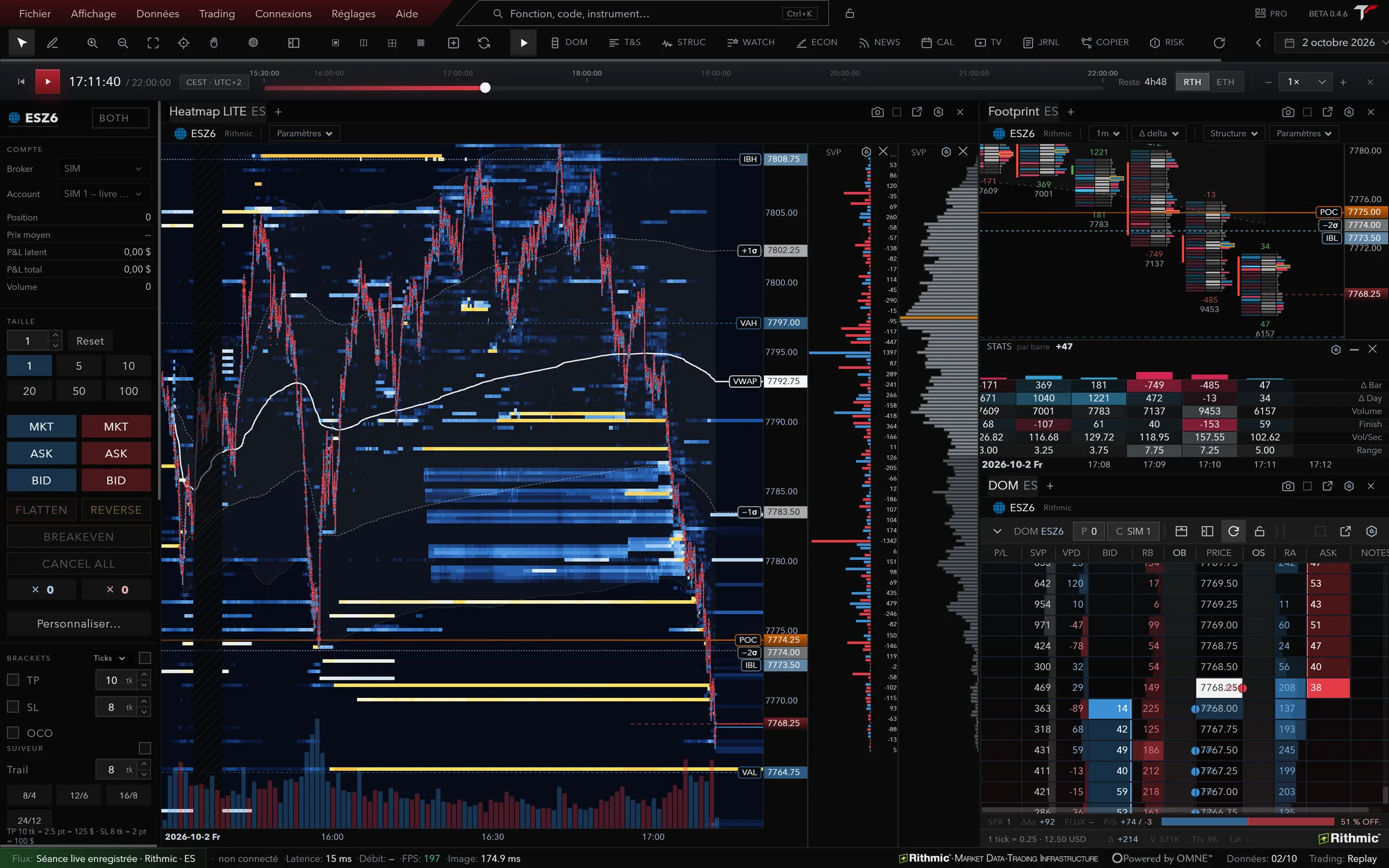
- It reads the book at the order level (MBO) and shows it in the heatmap, the footprint, the DOM with Time & Sales Pro, the Market Profile and Microstructure Analysis, in one application.
- It covers 166 futures instruments on CME, CBOT, Eurex, NYMEX, COMEX and CFE, depending on the exchanges and data permissions on your account.
- It sends your orders through Rithmic, and only through Rithmic. An opening order waits until the broker account has been read and goes out only on the account you picked; a stop on the wrong side of price, a stop with no trigger or an order without a type is rejected before it’s sent.
- It recognises a prop firm account by name when the name is identifiable, and follows the rule plan you enter: daily loss, drawdown, target, consistency, with alerts at 50, 80 and 100%.
- ALFRED, the AI assistant, reads the book up to twenty levels, the session and the working orders, and answers with those numbers. Live order sending is the only one of his rights that’s off at install.
What you need before connecting
- A Rithmic account. It comes from your broker, your FCM or your prop firm: they provide the credentials1.
- Data permissions for the exchanges you trade, opened on that account. Without the CME permission there’s no ES or NQ book, whatever the platform.
- A 64-bit Windows 10 or 11 machine (0.4.9), an Apple silicon Mac (0.4.2) or Ubuntu 24.04 or Debian 13 for the Linux preview (0.4.6). The licence covers one active machine at a time. What the Mac version has, and what it doesn’t yet, is on our futures trading platform for Mac page.
- One application on the feed. Rithmic warns that two applications connected to the same feed at the same time disconnect the first one, and offers R|Trader Pro’s plugin mode to run several2. With TurningTrade, close any other Rithmic session before connecting.
Screen-by-screen steps are in the Help Center, under Connection & data.
What you pay separately
The TurningTrade licence pays for the platform: 1,499 USD (1,349 EUR in the euro area), one-time, with later versions, the 10-module order flow training and priority support. It doesn’t cover your Rithmic account, your market-data permissions or exchange fees. Your broker or prop firm bills those, and they’d be the same with another platform.
Check the depth your account receives, too. At Tradeify, for example, every account gets Level 1 CME data, but Level 2 isn’t available yet on Rithmic3. A heatmap reads book depth: without it, there isn’t much to show. What an order-level book adds is explained in our guide to market by order (MBO) data.
What Rithmic and the prop firms say, point by point
Read on October 18, 2026 on the official pages of Rithmic, Lucid Trading and Tradeify, next to what TurningTrade does. Rithmic’s site is rendered in JavaScript: its text was read in the published page’s code.
| What to check | What the source publishes | TurningTrade |
|---|---|---|
| Credentials | Provided by your broker, prop firm or FCM; Rithmic calls itself FCM-neutral1 | Your account’s Rithmic credentials; account and market data paid separately |
| Several platforms at once | Two applications on the same feed: the first is disconnected; R|Trader Pro plugin mode to run several2 | Close any other Rithmic session before connecting |
| Operating system | R|Trader Pro: 64-bit Windows 10 and 11, Windows Server 2016 or later; macOS not supported for desktop, web and mobile instead1 | Windows 10/11 64-bit (0.4.9), Apple silicon Mac (0.4.2), Linux preview (0.4.6) |
| Order-level data | MBO feed showing each order in the book, not just aggregated volume at a price4 | Native Rithmic feed at the order level, read by the heatmap; 166 instruments depending on account permissions |
| Risk rules | Server-side risk controls at Rithmic, active even if your connection drops5 | Risk Desk in the platform (limits, anti-tilt pause, kill switch), on top of your account’s rules |
| Lucid Trading’s list | On Rithmic: Quantower (labelled “Lucid Partner”), Tradesea, MotiveWave, Sierra Chart, Jigsaw, Bookmap, ATAS, R|Trader Pro, MultiCharts. TurningTrade isn’t on it6 | Lucid Trading is among the firms recognised on Rithmic; TurningTrade isn’t affiliated with any firm |
| Tradeify’s list | On Rithmic: Tradesea, Quantower, Sierra Chart (paid subscription required), R|Trader. TurningTrade isn’t on it3 | Tradeify is among the firms recognised on Rithmic, with the account gauge in the top bar |
| Rithmic’s directory | List of compatible platforms on rithmic.com, inviting you to contact Rithmic if yours isn’t there7 | Native Rithmic connection; orders routed through Rithmic only |
On a small screen, scroll the table sideways. The numbers point to the sources at the bottom of the page.
Prop firms: what their platform list means
Prop firms publish the list of platforms they support. Lucid Trading names nine on Rithmic6, Tradeify four3. TurningTrade is on neither as of October 18, 2026. Rithmic, for its part, writes that if your funding evaluator uses Rithmic, you can likely trade on the interface you already use5.
That “likely” matters. Before taking an evaluation with TurningTrade, ask your firm in writing whether it accepts a Rithmic platform that isn’t on its list. The evaluation rules are the firm’s: TurningTrade isn’t the firm and isn’t affiliated with any of these brands. To compare the platforms your firm does list, read our guide to choosing a futures trading platform.
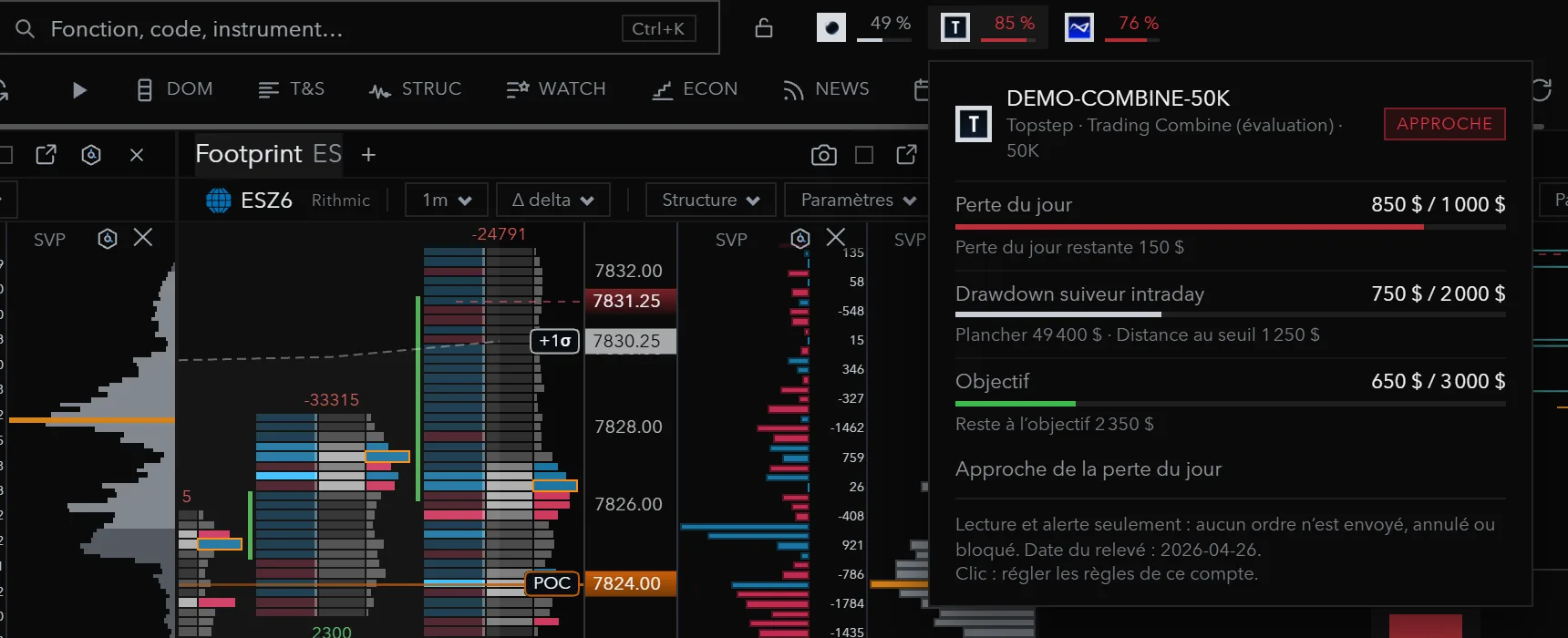
On the platform side, each configured prop firm account gets its gauge in the top bar. Firms recognised on Rithmic: Apex Trader Funding, Topstep, My Funded Futures, Tradeify, Phidias, Bulenox, Earn2Trade, TradeDay, Lucid Trading and Take Profit Trader.
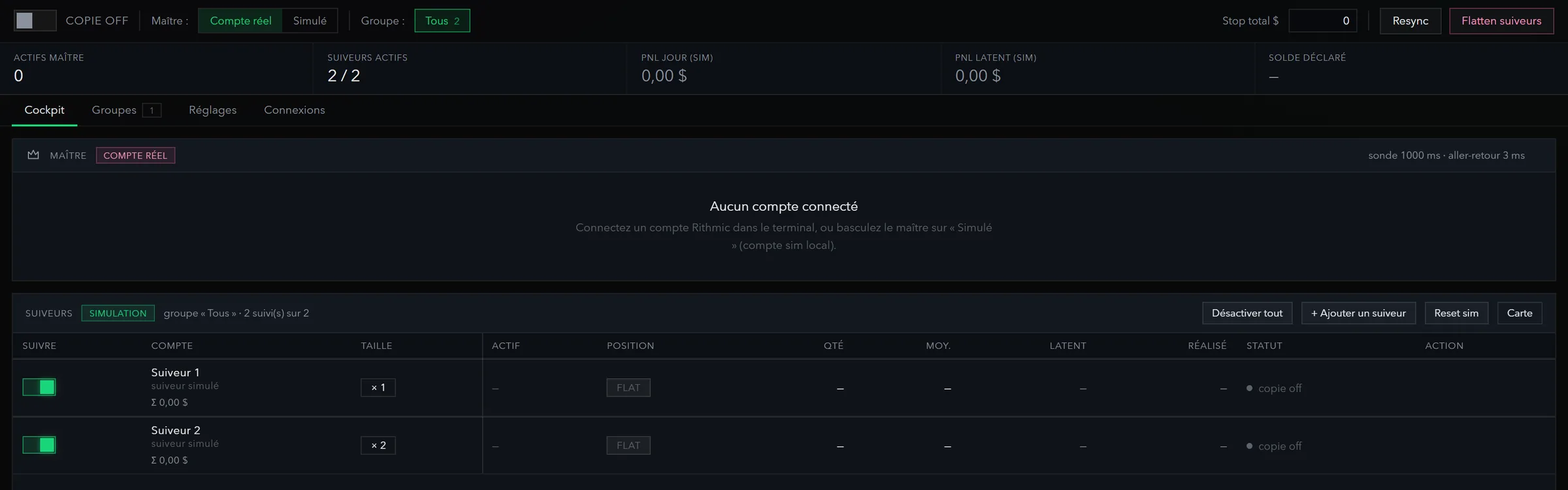
If you trade several accounts, the trade copier replicates a master account’s orders on followers, each with its own multiplier.
Frequently asked questions
Is Rithmic included in TurningTrade’s price?
No. TurningTrade connects natively to Rithmic, but your account, exchange permissions and data fees stay separate. Orders are routed through Rithmic only.
Can I use TurningTrade with my prop firm?
If it gives you Rithmic credentials, the platform connects. Recognised firms: Apex Trader Funding, Topstep, My Funded Futures, Tradeify, Phidias, Bulenox, Earn2Trade, TradeDay, Lucid Trading and Take Profit Trader. TurningTrade isn’t on the lists published by Lucid Trading and Tradeify: ask your firm whether it accepts it before an evaluation.
Can I trade a Rithmic account on a Mac?
R|Trader Pro, Rithmic’s platform, isn’t supported on macOS as a desktop app; Rithmic points to its web and mobile version1. TurningTrade runs natively on Apple silicon Macs, version 0.4.2, behind the Windows version (0.4.9).
Can I keep R|Trader Pro open alongside?
Rithmic says two applications on the same feed disconnect the first one, and that its plugin mode is how to run several2. With TurningTrade, close any other Rithmic session before connecting.
Which markets can I read?
166 futures instruments on CME, CBOT, Eurex, NYMEX, COMEX and CFE through Rithmic, depending on the exchanges and data permissions on your account. Binance and Hyperliquid crypto perpetuals can be read; no order is routed there.
See the lifetime licence
One-time payment of 1,499 USD (1,349 EUR in the euro area): heatmap, footprint, DOM, Market Profile, ALFRED, every later version, the 10-module order flow training and priority support. Your Rithmic account and data fees stay separate.
See pricingSources
- Rithmic, R | Trader Pro, read on October 18, 2026.
- Rithmic, Connection Guides (« Running multiple platforms simultaneously »), read on October 18, 2026.
- Tradeify Help Center, Supported Platforms, read on October 18, 2026. Page marquée « Updated yesterday », sans date exacte.
- Rithmic, Technology (MBO data), read on October 18, 2026.
- Rithmic, For Traders, read on October 18, 2026.
- Lucid Trading Help Center, Lucid Trading Supported Platforms, read on October 18, 2026. Page marquée « Updated this week », sans date exacte.
- Rithmic, Compatible Trading Platforms, read on October 18, 2026.
TurningTrade facts: release notes, pricing and FAQ published on turningtrade.com (see the Pricing page and the Help Center).