 TurningTrade
What order flow software must show
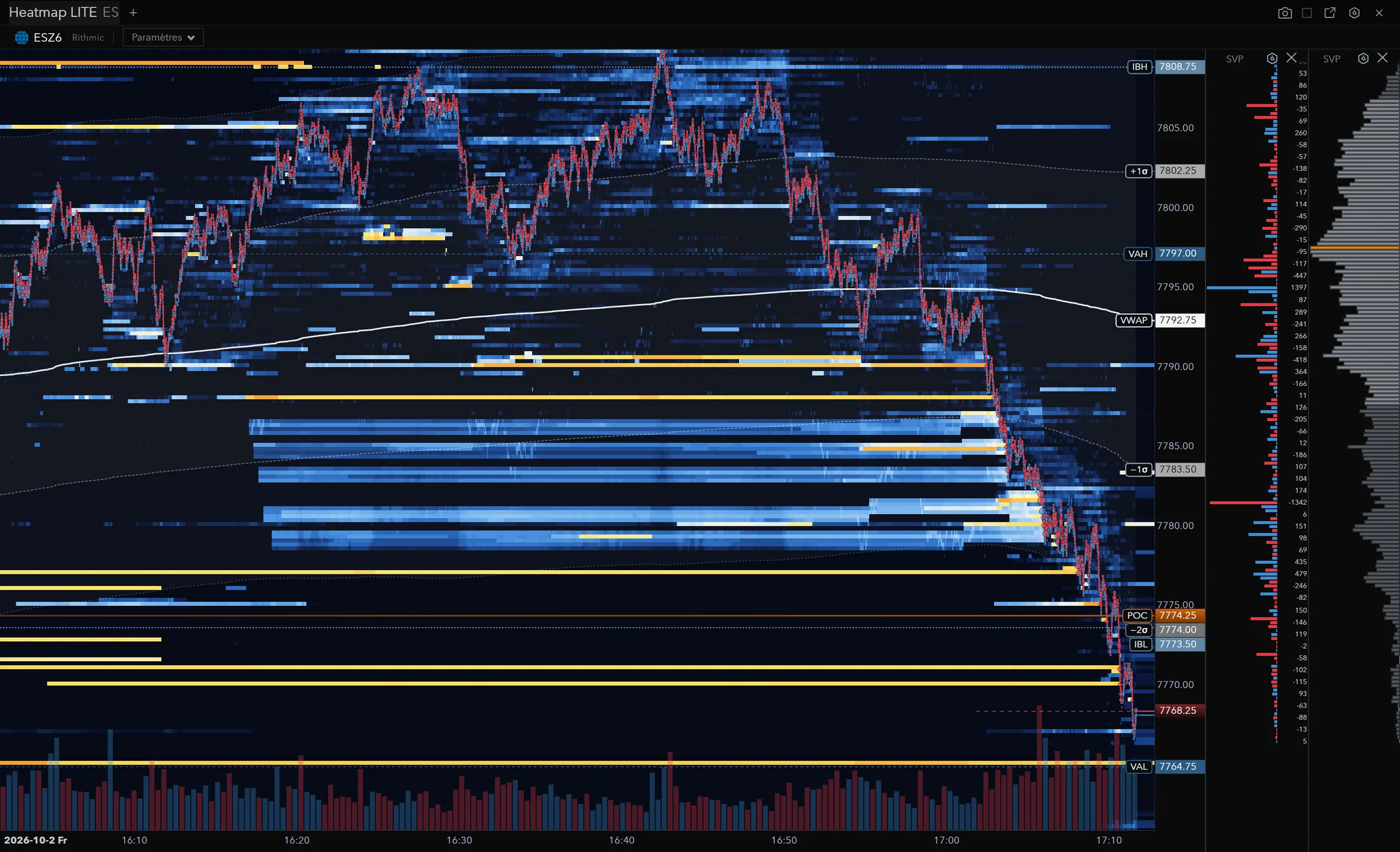
The book over time: the heatmap
A heatmap draws the liquidity resting at each price, minute after minute. You see where limit orders wait, which ones hold when price gets there, and which ones go dark just before. With an order-level feed (MBO), a level eaten by trades can be told from a level that got pulled: our MBO data guide explains why.
What traded: the footprint
The footprint splits each bar by price: contracts sold at the bid, bought at the offer, delta, large trades. That’s where imbalance and absorption are read. Our footprint chart guide reads one cell by cell, on real screenshots.
Who is pushing: delta and CVD
Delta is the difference between buying and selling at market, per price or per bar. Accumulated over the session, it gives CVD (cumulative volume delta). Price rising on falling delta doesn’t tell the same story as price rising on the back of buyers.
Right now: the DOM and Time & Sales
The DOM shows the queue at each price the moment you click, and it’s often where you place the order. Time & Sales prints every trade, with its price, size and side. You read them together: a large order executing into a book level that doesn’t move.
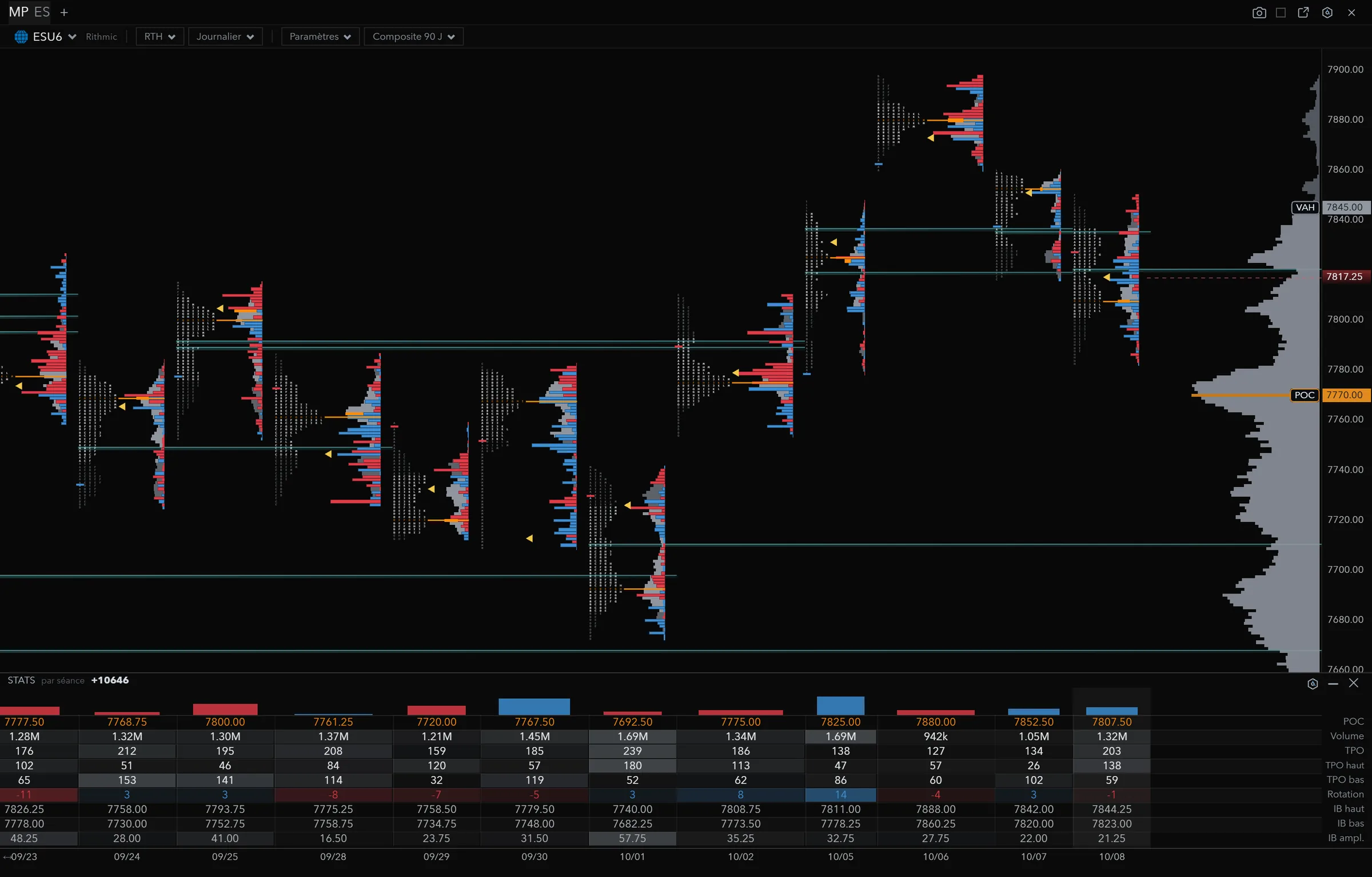
Where the market accepted price: the profile
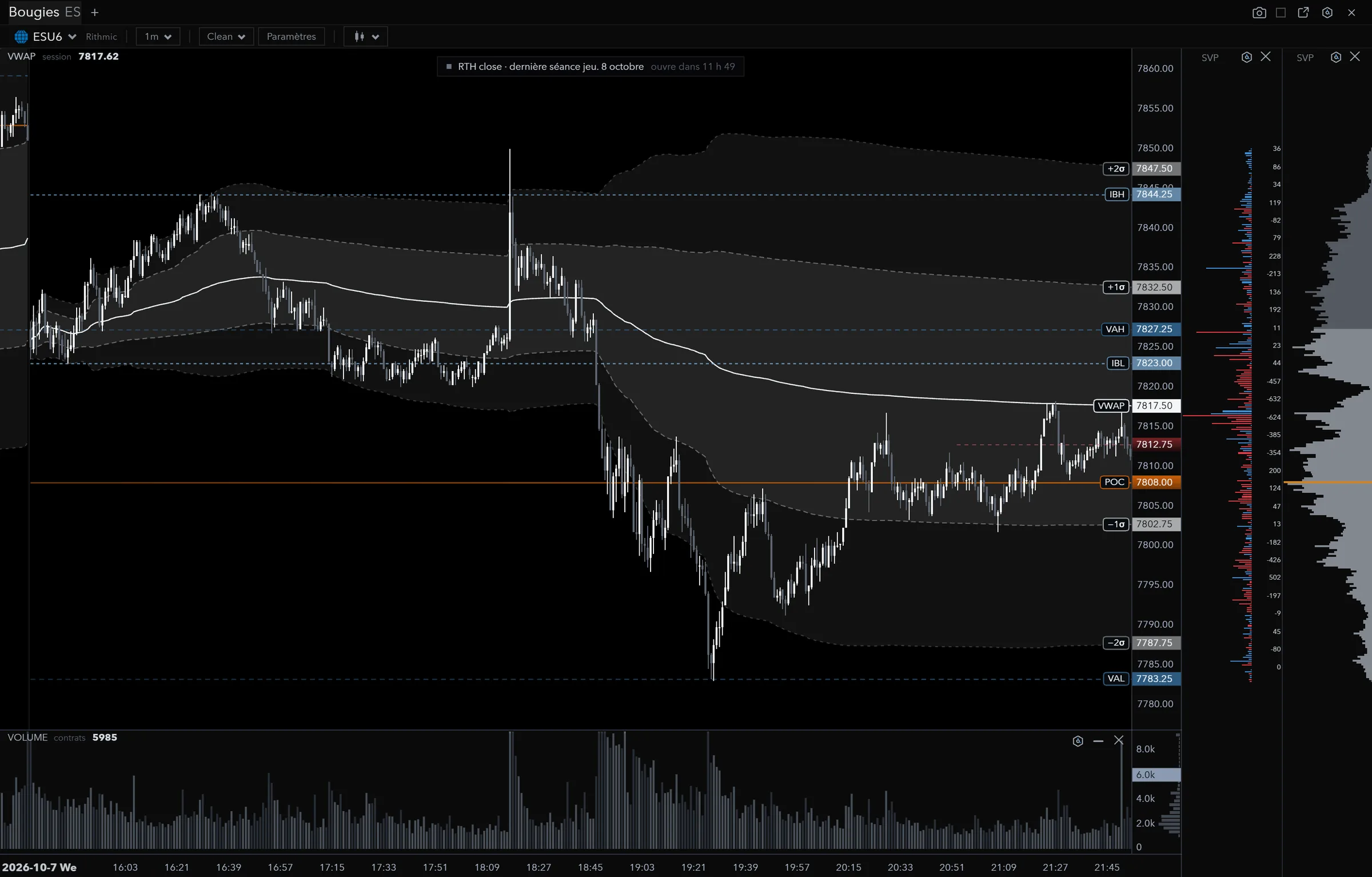
A volume profile counts contracts traded at each price; a Market Profile counts time spent, in TPOs. The POC, value area and initial balance become levels you find again on the heatmap and the footprint.
The criteria that separate the offers
- The feed. Rithmic, CQG, dxFeed or the vendor’s own feed don’t give the same depth, and not all of them carry MBO. Start from the credentials your broker or prop firm gives you.
- Real time. Several free or entry plans serve futures delayed: ATAS’s Start plan runs 15 minutes behind1, Bookmap’s Digital plans show US futures delayed2.
- What’s included. At some vendors, the footprint, cumulative delta or the advanced DOM are add-ons paid separately. Compare the plan you’ll actually use.
- The operating system. Many order flow tools are built for Windows; on Mac and Linux the choice narrows. Our futures trading platform for Mac guide covers it.
- The full price. The account, market data and exchange fees almost always come on top of the software price.
The grid of the main order flow trading platforms
Facts read on October 19, 2026 on each vendor’s official pages: pricing, help guides, product pages. A cell says what the vendor publishes, not what we think of the tool. Prices change often: check them with the vendor before buying.
| Software | Book heatmap | Footprint | Cumulative delta | DOM and Time & Sales | Profile | Software price |
|---|---|---|---|---|---|---|
| Bookmap | Heatmap: the history of the limit order book3 | Footprint among the “Advanced Add-ons”2 | Cumulative Volume Delta among the add-ons2 | Time & Sales in the core features; DOM Pro among the add-ons2 | Point of Control indicator among the add-ons2 | Digital free; $19 to $99 a month; lifetime $990 (Global) or $1,990 (Global Plus); live futures data not included2 |
| ATAS | Heatmap (beta), in all four plans1 | Footprint, in all four plans1 | Cumulative Delta, in all four plans1 | Smart DOM, DOM Trader and Smart Tape1 | Market Profile and TPO1 | Start free (futures delayed 15 min); Plus €24.95, Pro €69.95, Ultra €89.95 a month excl. VAT; lifetime €999, €1,799, €1,999; real-time futures from Pro1 |
| Sierra Chart | Market Depth Historical Graph, packages 5, 11 and 124 | Numbers Bars, packages 5, 11 and 124 | Delta per price (ask minus bid) in Numbers Bars5 | Trade DOM and Time and Sales window67 | TPO study in packages 5, 11 and 12; Volume Profile tool in all4 | $26 to $56 a month; external feeds and Denali on packages 10, 11 and 12, exchange fees extra4 |
| NinjaTrader | Order Flow Market Depth Map, in Order Flow +8 | Order Flow Volumetric Bars, in Order Flow +8 | Order Flow Cumulative Delta, in Order Flow +8 | SuperDOM, to manage orders and positions9 | Order Flow Volume Profile, in Order Flow +8 | Order Flow + included for all NinjaTrader lifetime licence users8 |
| Quantower | DOM Surface (heatmap view), as an add-on or with All-in-One1011 | Cluster chart, in the volume analysis tools12 | Cumulative Delta, in the volume analysis tools12 | DOM Trader and Time & Sales13 | Volume Profiles; TPO Profile Chart as an add-on1210 | Free version limited to one active connection; All-in-One shown as “70” a month, no currency1110 |
| TurningTrade | MBO heatmap, Stop-run and Sweep detectors; Iceberg, Absorption, Exhaustion and Breakout announced, not shipped | Bid × ask, large trades, Δ max / Δ min | Per-bar delta and Δ max / Δ min on the footprint, delta bars on candles | DOM and Time & Sales Pro | Market Profile (TPO, POC, value area) | Lifetime licence 1,499 USD (1,349 EUR in the euro area); subscriptions shown, not on sale yet |
At every one of these vendors, the account and market data are paid separately. On a small screen, scroll the table sideways. The numbers point to the sources at the bottom of the page.
Reading the grid for your case
You want to learn without paying
ATAS gives footprint, heatmap, cumulative delta and Market Profile from its free Start plan, with delayed futures1. Bookmap has a free Digital plan2, Quantower a free version limited to one connection11. TurningTrade has no free plan.
You mostly read the book
Bookmap built its product around the heatmap3, with many extensions (imbalance, absorption, sweeps) sold as add-ons2. ATAS sells its MBO Bundle with the Ultra plan1. On both, our Bookmap alternative and ATAS alternative comparisons go line by line, including where they do better than us.
You want it all in one, paid once
At TurningTrade, the lifetime licence includes the MBO heatmap, the footprint, the DOM with Time & Sales Pro, the Market Profile, Microstructure Analysis and ALFRED, the AI assistant that reads your modules. Orders go through Rithmic only, on 166 futures instruments depending on your account’s permissions. The modules are listed on the Features page, and the AI in our AI trading platform guide.
To choose the platform as a whole (feed, operating system, prop firms), read our futures trading platforms guide, and for installed software versus a web platform, trading terminal.
Frequently asked questions
What is order flow software?
Software that shows what happens in the book and in the trades, not just price: liquidity heatmap, footprint, delta, DOM, Time & Sales and volume profile.
What is the best order flow software?
There isn’t one for everybody. Start from your feed (Rithmic, CQG, dxFeed), what you read most (book or footprint), your operating system and the full price including data, then read the grid line by line.
Do I need order-level (MBO) data?
Not for a footprint or a profile. For a heatmap that tells a pulled wall from an eaten one, yes. Vendors sell MBO in different ways; our MBO data guide covers the offers.
How much does TurningTrade cost?
The lifetime licence costs 1,499 USD (1,349 EUR in the euro area), as a one-time payment, with every later version, the 10-module order flow training and priority support. Your Rithmic account and data fees stay separate.
Does order flow software make you money?
No. It shows the book and the trades; the decision stays yours. Futures trading can result in the loss of the capital committed.
See the lifetime licence
One-time payment of 1,499 USD (1,349 EUR in the euro area): MBO heatmap, footprint, DOM with Time & Sales Pro, Market Profile, Microstructure Analysis, ALFRED, every later version, the 10-module order flow training and priority support. Your Rithmic account and data fees stay separate.
See pricingSources
- ATAS, Pricing, read on October 19, 2026. Prix hors TVA. Footprint, Cumulative Delta, Smart DOM, DOM Trader, Smart Tape, Market Profile & TPO et Heatmap (Beta) dans les quatre formules ; Big Trades à partir de Plus ; futures en temps réel à partir de Pro.
- Bookmap, Packages & Prices, read on October 19, 2026. Tableau aplati à la lecture : l’attribution des prix à vie (990 $ Global, 1 990 $ Global Plus) recoupe la lecture du 18/10. « Live Market Data for Stocks/Futures is not included ».
- Bookmap, page d’accueil, read on October 19, 2026. Servie en français depuis la France : « La carte thermique affiche l’historique du carnet de commandes à cours limité ».
- Sierra Chart, Service Packages, read on October 19, 2026. Numbers Bars, TPO et Market Depth Historical Graph dans les forfaits 5, 11 et 12 ; flux externes et Denali sur 10, 11 et 12 ; MBO sur 12.
- Sierra Chart, Numbers Bars, read on October 19, 2026. Numbers Bars « also known as » Footprint ; comparaison du Bid Volume d’un prix, en diagonale, à l’Ask Volume du prix au-dessus.
- Sierra Chart, Chart Trading and the Chart DOM, read on October 19, 2026.
- Sierra Chart, Time and Sales Window, read on October 19, 2026.
- NinjaTrader 8 Help Guide, Order Flow +, read on October 19, 2026. « Order Flow + studies are included for all NinjaTrader lifetime license users. »
- NinjaTrader 8 Help Guide, SuperDOM, read on October 19, 2026.
- Quantower, Prices & Licenses, read on October 19, 2026. All-in-One affiché « 70 » par mois sans devise ; prix des extensions affichés « 0 » à la lecture.
- Quantower Help, Quantower Licenses, read on October 19, 2026.
- Quantower Help, Volume Analysis Tools, read on October 19, 2026.
- Quantower, page d’accueil, read on October 19, 2026.
TurningTrade facts: release notes, pricing and FAQ published on turningtrade.com (see the Pricing page and the Help Center).